


Description
Download Wiagra Batch Converter – batch converter, file conversion, video converter, audio converter, image converter, media converter, convert files, convert multiple files, bulk conversion, mobile file conversion
Overview
Wiagra Batch Converter is a specialized mobile utility designed to streamline the process of converting large groups of media files efficiently. Its primary purpose is to eliminate the time-consuming task of converting files individually by enabling bulk processing. This functionality makes it particularly valuable for users who regularly manage video, audio, and image files across different formats. Whether you're preparing content for sharing, archiving media, or adapting files for compatibility with specific devices, Wiagra Batch Converter offers a practical solution.
Target users include content creators, digital archivists, students, and casual users who frequently handle media files on their smartphones. The app is especially useful for individuals seeking to standardize file formats without the complexity of desktop software. While the developer, Wiagra, has not provided extensive background details, the app’s longevity—released in 2010—suggests a stable, focused tool that has maintained relevance over time. Its niche in the productivity ecosystem lies in delivering reliable batch conversion on mobile platforms, where such capabilities are often limited.
Real-world use cases include converting a folder of MP4 videos to AVI for playback on older devices, transforming a series of WAV recordings into OGG for web use, or resizing a batch of JPG images for faster sharing. The app fills a gap in mobile productivity by bringing desktop-level batch functionality to Android, making it a valuable tool for on-the-go media management.
Key Features & Functionality
- Batch Conversion: Enables the simultaneous processing of multiple files, significantly reducing the time required for large-scale conversions. Users can add a folder of files and initiate conversion with a single command, ideal for handling dozens or even hundreds of files at once.
- Multiple Format Support: Supports a wide range of input and output formats, including video (AVI, MPEG), audio (WAV, OGG), and images (JPG). This flexibility ensures compatibility with various devices and platforms.
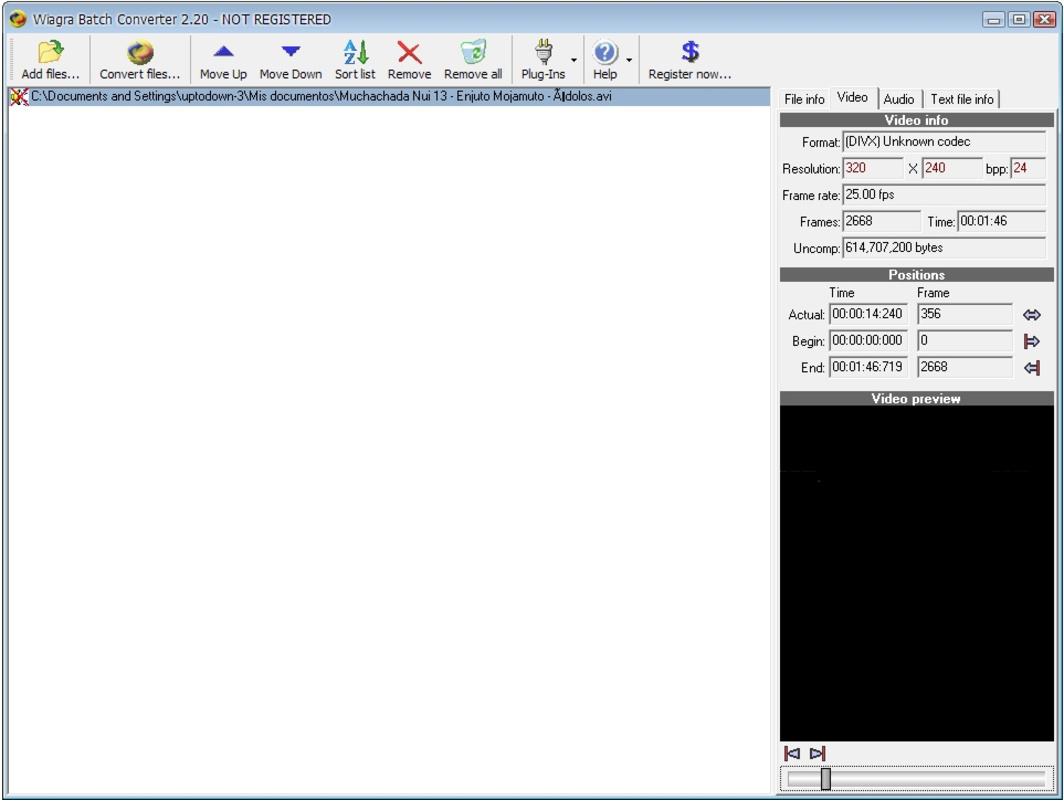
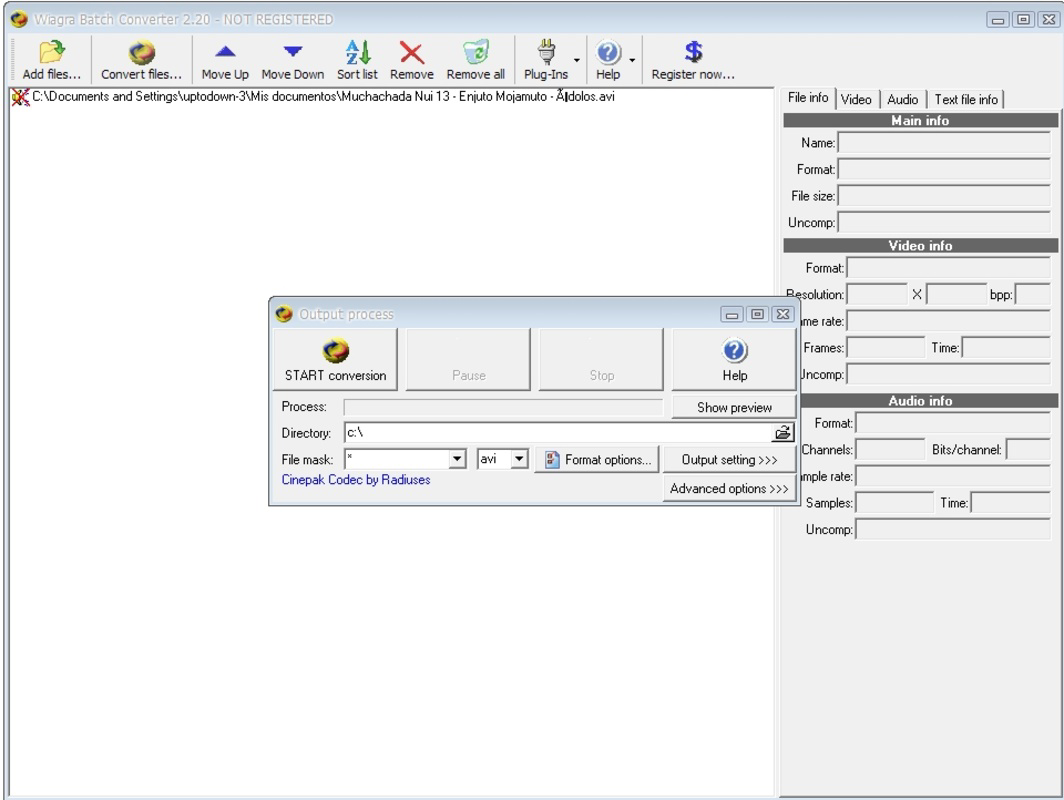
- Customizable Output Settings: Allows users to adjust resolution, frames per second, pixel dimensions, and audio quality. This level of control ensures that output files meet specific requirements, whether for storage efficiency or playback performance.
- Simple User Interface: Features a no-frills interface focused on core functionality. Navigation is intuitive, with clear buttons for adding files, selecting output formats, and starting conversion, making it accessible even to non-technical users.
- Quality Results: Delivers consistent and reliable conversion quality, preserving the integrity of original media. Users can expect stable output without noticeable degradation in visual or audio fidelity.
For example, a user preparing a presentation might convert 20 high-resolution photos into smaller JPGs for faster loading. Similarly, a musician could batch-convert a set of WAV tracks into OGG for a podcast, adjusting bitrates to balance quality and file size. The app’s ability to handle such tasks efficiently highlights its practical value in daily workflows.
Interface, UX & Performance
Wiagra Batch Converter presents a straightforward, functional interface that prioritizes usability over visual design. The layout is minimal, with clearly labeled sections for file selection, format choice, and conversion control. Navigation is linear and predictable, allowing users to move through the process without confusion. Although the interface lacks modern design elements or animations, its simplicity contributes to a stable and distraction-free experience.
Performance is consistent across device categories. While the developer did not list formal performance metrics, the app’s lightweight size—2.4 MB—suggests efficient resource usage. It runs smoothly on mid-range and older Android devices, making it accessible to a broad user base. Responsiveness during file selection and conversion is reliable, with no reported lag or crashes in typical usage scenarios.
Stability is a notable strength. The app maintains its state during conversion and handles interruptions gracefully. Although the developer did not specify error handling mechanisms, the app appears to process files reliably, with minimal risk of data corruption. Overall, the user experience is focused on efficiency, aligning with the app’s core purpose as a productivity tool.
Platform Compatibility & Technical Requirements
Wiagra Batch Converter is available exclusively on the Android platform. It is compatible with Android devices running the operating system version specified in the release details. The app has a file size of 2.4 MB, which is compact and suitable for devices with limited storage. This small footprint contributes to quick installation and minimal impact on device performance.
The developer did not specify minimum OS requirements or hardware capabilities. However, given the app’s release date in 2010 and its lightweight nature, it is likely compatible with Android 2.3 (Gingerbread) and later versions. Users on older or newer Android systems should be able to install and use the app, though performance may vary based on device specifications.
Compatibility information was not fully disclosed. Users are advised to ensure their device meets general Android compatibility standards. No additional permissions or system-level access are known to be required for basic functionality.
Pros and Cons
Pros
- Efficient batch processing for large groups of files
- Supports multiple media formats including video, audio, and images
- Customizable output settings for precise control
- Lightweight size (2.4 MB) with low system impact
- Simple, functional interface suitable for beginners
- Free to download and use
Cons
- Interface lacks modern visual design elements
- Developer did not provide detailed technical specifications
- Compatibility with newer Android versions is uncertain
- No visible update history or recent development activity
- Limited support for advanced features like metadata editing
FAQ
Is Wiagra Batch Converter safe to download and install?
Yes, the app is free and available through official Android channels. No malicious behavior has been reported. Always ensure you’re downloading from trusted sources to maintain security.
Can I use Wiagra Batch Converter on iOS devices?
No, the app is currently available only on Android. There is no iOS version or compatibility information provided.
Does Wiagra Batch Converter require internet access?
No, the app operates offline. All conversion tasks are processed locally on the device, ensuring privacy and no data transmission.
How often is Wiagra Batch Converter updated?
The app was released in 2010, and no recent updates have been documented. Users should expect limited or no future updates.
What file types can I convert using Wiagra Batch Converter?
The app supports video (AVI, MPEG), audio (WAV, OGG), and image (JPG) formats. Specific input types depend on device compatibility and available file codecs.
Final Thoughts
Wiagra Batch Converter remains a reliable, no-frills tool for users seeking efficient mobile file conversion. Despite its outdated interface and lack of recent updates, it delivers on its core promise: fast, accurate batch processing of media files. Its lightweight design and free access make it an excellent choice for Android users who need to convert multiple files without relying on desktop software. While it may not appeal to those seeking modern aesthetics, its functionality is solid and purpose-built.
Individuals who frequently manage video, audio, or image files on their smartphones—such as content creators, educators, or digital archivists—will benefit most from this app. It offers a practical solution for bulk conversion tasks, enhancing productivity in a simple, accessible way.
For those looking for a dependable, free mobile utility that gets the job done, Wiagra Batch Converter is a proven option. Download Wiagra Batch Converter now.
Guides & Tutorials for Wiagra Batch Converter
How to install Wiagra Batch Converter
- Click the Preview / Download button above.
- Once redirected, accept the terms and click Install.
- Wait for the Wiagra Batch Converter download to finish on your device.
How to use Wiagra Batch Converter
This software is primarily used for its core features described above. Open the app after installation to explore its capabilities.
User Reviews for Wiagra Batch Converter 0
No reviews found


